

Home
A key to conquer the (open source) world.

Main navigation

  • Home
  • About Us
    • About this website
    • About_me
    • Family rivalry
  • Gurus
  • Tutorials
User account menu
  • Log in

Breadcrumb

  1. Home

🚀🆓💻 10 Free Open Source Tools That Rival Popular Paid Software

Hero image for keyhole tutorials.

💥 Why pay hundreds per year for software when world-class alternatives are completely free?

In this article, we reveal 10 free open source tools that rival (and sometimes outperform) the biggest paid software brands — so you can save money without sacrificing performance.
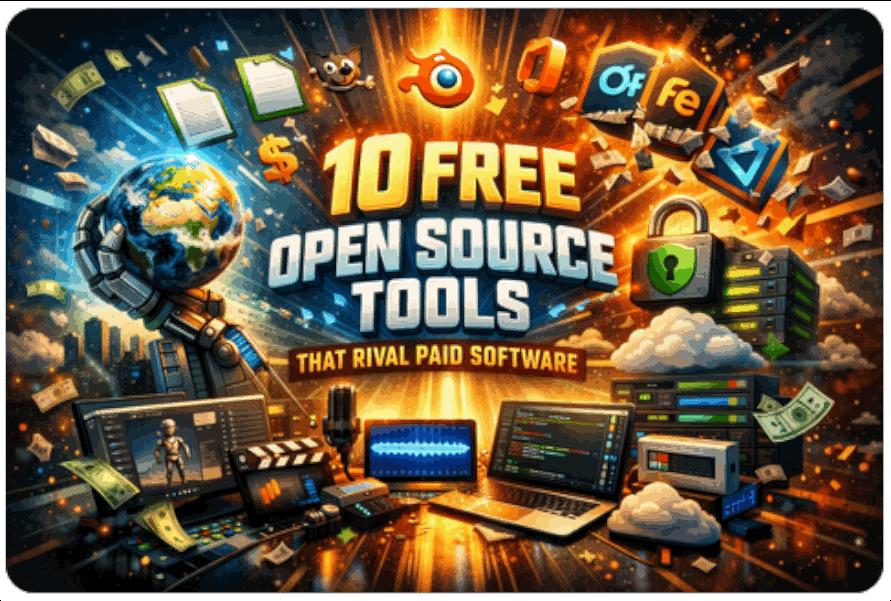
Rival Open Source Tools

Free, Fierce, and Fully Functional: Why Pay When You Don’t Have To?

Who says you need to empty your wallet to get great software? The open source world is packed with powerful tools that go head-to-head with the most popular paid applications. Whether you’re designing, coding, organizing, streaming, or editing, these programs deliver professional features — without subscriptions, licensing fees, or vendor lock-in.

Let’s explore 10 open source tools that can replace expensive software — and might even make you wonder why you ever paid in the first place.

A Brief History of Open Source

Open source software grew from a culture of collaboration. In the early days of computing, developers freely shared code to improve and innovate together. That spirit evolved into a global movement.

Projects like Linux and Apache proved that community-driven software could power servers, businesses, and even the backbone of the internet itself.

Today, open source powers everything from office suites and design software to streaming platforms and enterprise cloud systems. It’s no longer “just for techies.” It’s a professional, reliable, and widely adopted alternative to costly proprietary tools.

🚀 The 10 Open Source Tools That Rival (or Beat) Paid Software

Each tool below includes its ideal audience and community credibility — so readers can quickly see where it fits.

1. 🗂️ LibreOffice → Microsoft Office

Best for: Documents, spreadsheets, presentations

Why it stands out:
A complete office suite (Writer, Calc, Impress) fully compatible with DOCX and XLSX formats. No subscriptions, no cloud lock-in, full offline control.

Catchy angle:
All the productivity — none of the subscription.

Ideal for:
Students, freelancers, startups, enterprises needing offline document control.

Community & adoption:
Used by millions worldwide, localized in 100+ languages, and widely deployed in governments and Linux distributions.

User testimonial:
“I use LibreOffice daily for documents and spreadsheets — it handles anything I throw at it and opens MS Office files perfectly.”

2. 🎨 GIMP → Adobe Photoshop

Best for: Photo editing, digital art, marketing graphics

Why it stands out:
Advanced image manipulation with layers, masks, filters, and RAW support (via plugins). Deep customization and extensibility.

Catchy angle:
Professional photo editing without the Creative Cloud bill.

Ideal for:
Design students, freelance designers, startups, content creators.

Community & adoption:
Millions of downloads annually, large plugin ecosystem, regular feature releases.

User testimonial:
“GIMP has become my go-to photo editor — powerful enough for serious edits, and it doesn’t cost a cent.”

3. 🧩 Blender → Autodesk Maya / 3DS Max

Best for: 3D modeling, animation, VFX, game development

Why it stands out:
Complete production pipeline — modeling, sculpting, rigging, animation, rendering, compositing. Built-in Cycles renderer rivals commercial engines.

Catchy angle:
Hollywood-grade 3D — zero licensing fees.

Ideal for:
Game developers, independent filmmakers, animation students, production studios.

Community & adoption:
Used in commercial films and AAA games, 200K+ active community members, global Blender Conference annually.

User testimonial:
“Blender isn’t just free — it’s industry-grade. I use it for 3D modeling and animation that rivals software costing thousands.”

4. 🖊️ Inkscape → Adobe Illustrator

Best for: Logos, branding, vector illustration

Why it stands out:
Full SVG support, precise vector tools, scalable graphics for print and web.

Catchy angle:
Design sharp, scalable graphics without paying monthly.

Ideal for:
Freelancers, logo designers, startups building brand assets, print professionals.

Community & adoption:
Millions of downloads, active GitHub contributions, strong presence in design education.

User testimonial:
“Inkscape is my preferred vector editor — I use it for logo design and print graphics, and it gets the job done every time.”

5. 🎧 Audacity → Adobe Audition / Pro Tools

Best for: Podcasting, voiceovers, music editing

Why it stands out:
Multi-track recording, noise reduction, wide plugin support (VST, LADSPA). Beginner-friendly yet powerful.

Catchy angle:
Studio-quality sound on a zero-dollar budget.

Ideal for:
Podcasters, students, musicians, marketing teams.

Community & adoption:
100M+ downloads, widely used in classrooms and podcast production.

User testimonial:
“For podcast editing, Audacity is unbeatable — multi-track editing and plugin support make it a pro tool for free.”

6. 📹 OBS Studio → Camtasia / Screenflow

Best for: Streaming, tutorials, webinars

Why it stands out:
Professional-grade streaming and recording with scene control, overlays, and transitions.

Catchy angle:
The streaming tool the pros use — without the price tag.

Ideal for:
Streamers, YouTubers, educators, businesses hosting webinars.

Community & adoption:
100M+ downloads, industry standard for Twitch and YouTube creators, strong developer base.

User testimonial:
“OBS Studio lets me stream and record my tutorials professionally — the best free tool for YouTube and Twitch.”

7. 💻 VS Code / ⚛️ Atom → Sublime Text / JetBrains IDEs

Best for: Developers and coders

Why it stands out:
Smart code completion, Git integration, debugging tools, and thousands of extensions.

Catchy angle:
Code smarter, not more expensively.

Ideal for:
Developers, programming students, tech startups, enterprise dev teams.

Community & adoption:
Consistently ranked among the most popular editors globally; massive extension ecosystem.

User testimonial:
“VS Code is the editor I use every day — lightweight, fast, and it’s like having thousands of tools in one.”

8. 🔐 KeePassXC → 1Password / LastPass

Best for: Secure password management

Why it stands out:
Strong encryption, fully offline storage, complete data ownership.

Catchy angle:
Maximum security. Zero subscription.

Ideal for:
Privacy-focused individuals, freelancers, startups, compliance-driven enterprises.

Community & adoption:
Trusted by security professionals, strong GitHub presence, frequent audits and updates.

User testimonial:
“KeePassXC helps me manage hundreds of passwords securely, with easy search and strong encryption.”

9. ☁️ Nextcloud → Google Drive / Dropbox

Best for: Cloud storage and collaboration

Why it stands out:
Self-hosted platform with file sharing, calendar, contacts, and document collaboration.

Catchy angle:
Your cloud. Your rules.

Ideal for:
Startups, enterprises with compliance needs, remote teams, privacy-conscious organizations.

Community & adoption:
Millions of installations worldwide across businesses, schools, and governments.

User testimonial:
“Nextcloud has been stellar for my business file syncing — flexible, privacy-focused, and completely under my control.”

10. 🎬 Shotcut / 🎞️ Kdenlive → Adobe Premiere / Final Cut Pro

Best for: Video editing and content creation

Why it stands out:
Multi-track editing, transitions, effects, hardware acceleration, and no watermarks.

Catchy angle:
Professional video editing without the production-sized bill.

Ideal for:
YouTubers, film students, indie filmmakers, marketing teams.

Community & adoption:
Strong creator communities, frequent updates, widely used in Linux creative environments.

User testimonial:
“Kdenlive is fantastic — I’ve edited dozens of videos with it reliably. It’s hands-down the best free video editor I’ve used.”

💡 Final Takeaway

Many of these tools are cross-platform (Windows, macOS, Linux) and backed by passionate global communities. Unlike subscription software, they offer:

  • No recurring fees
  • No forced upgrades
  • No vendor lock-in
  • Full customization
  • Community-driven innovation

Open source is no longer the “alternative.”
For many users — it’s the smarter choice.

❓ Frequently Asked Questions

1️⃣ Is Kdenlive really good enough for professional video editing?

Yes. Kdenlive supports multi-track editing, 4K video, keyframe animations, color correction, transitions, and hardware rendering. Many indie filmmakers, YouTubers, and content creators use it for professional projects — as one user puts it:

“Kdenlive is fantastic — I’ve edited dozens of videos with it reliably. It’s hands-down the best free video editor I’ve used.”

For advanced workflows, it may lack some high-end studio integrations found in Adobe Premiere or Final Cut Pro, but for most creators, it delivers more than enough power.

2️⃣ Is open source software safe to use?

Generally, yes. Open source software is publicly reviewed by developers worldwide, which often leads to faster security fixes and transparency. Tools like KeePassXC, Nextcloud, and LibreOffice are widely used in businesses, schools, and even government institutions.

As with any software, downloading from official websites and keeping programs updated is key.

3️⃣ Can open source tools really replace paid software like Adobe or Microsoft Office?

For most freelancers, students, startups, and even many enterprises — absolutely. Tools like GIMP, Blender, LibreOffice, and Kdenlive offer professional-grade features without subscription costs. While some highly specialized enterprise features may differ, the majority of everyday workflows are fully supported.

4️⃣ Why do companies and professionals choose open source software?

Organizations choose open source for several reasons:

  • No recurring licensing costs
  • Greater privacy and data control
  • No vendor lock-in
  • Customization and flexibility
  • Strong global communities

In many cases, the long-term savings and independence outweigh the convenience of proprietary ecosystems.


Back to the tutorial list.

Author


Categories
Open source News
Linux
Gimp
LibreOffice
Sun, 02/15/2026 - 20:41

Managed ad1

RSS feed
Powered by Drupal