
ChatGPT doesn’t read minds. 🧠
Define tasks, give clear instructions, show examples, train only if needed, and provide info dynamically. Always test & iterate.
Guide it right and ChatGPT becomes a reliable AI assistant.

A plain-English guide to configure, train, and tune AI in the real world
ChatGPT can feel almost human in conversation. But when organizations try to use it for real work—like answering customer emails, reviewing contracts, or helping employees find information—they quickly learn something important:
ChatGPT doesn’t automatically know how you want it to behave.
Teaching ChatGPT a new task isn’t about rewriting its code. It’s about shaping its behavior—giving it clear instructions, strong examples, and the right information at the right time.
1. Start With a Clear Task Definition
Every successful ChatGPT setup begins with a precise task definition.
A legal team reviewing contracts, initially asked ChatGPT to “summarize these contracts.” The results were inconsistent and unpredictable. When they changed the instruction to:
“Extract deadlines, termination conditions, and penalties in a fixed list format.”
Accuracy improved immediately.
A well-defined ChatGPT task answers three questions:
- What goes in?
- What comes out?
- What does “good” look like?
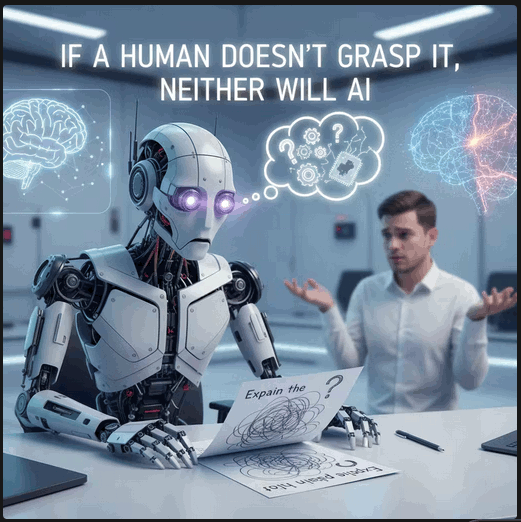
If a human wouldn’t understand the task clearly, ChatGPT won’t either.
Key takeaway: Clarity improves ChatGPT performance more than complexity ever will.
2. Use Clear Instructions Before Any Training
Many teams assume they need to train ChatGPT immediately. Most don’t.
An e-commerce company overwhelmed by customer support emails improved performance dramatically without any training. They simply gave ChatGPT better instructions:
- Act as a polite support agent
- Identify the issue first
- Follow the brand’s tone
- Never guess about delivery dates.
The result? Without any training, ChatGPT produced more consistent, usable draft replies. Human agents stayed in control, but their workload dropped sharply.
The lesson:
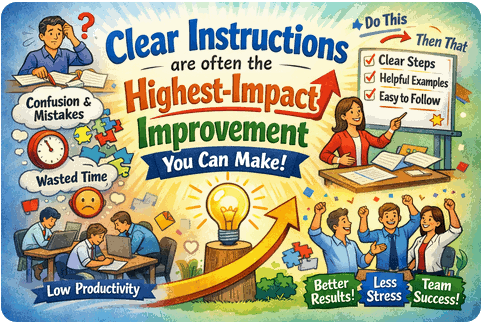
“Clear instructions (often called prompt engineering) are often the highest-impact improvement in a ChatGPT configuration.
3. Teach ChatGPT With Examples
Instructions tell ChatGPT what to do.
Examples show it how to do it.
A global brand struggled with inconsistent marketing tone across regions. Instead of rewriting documentation, they provided ChatGPT with:
- High-quality examples
- Target audience context
- Clear purpose for each message
Once the ChatGPT saw what “good” looked like, its outputs became far more consistent.
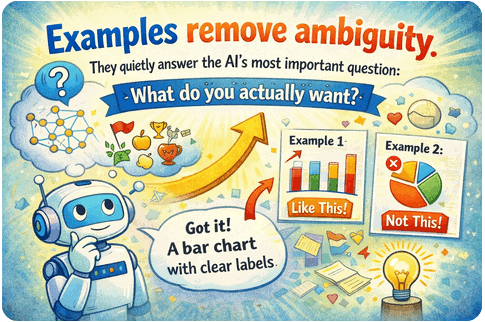
Examples remove ambiguity. They silently answer ChatGPT’s most important question:
“What do you actually want?”
4. When Training ChatGPT Makes Sense
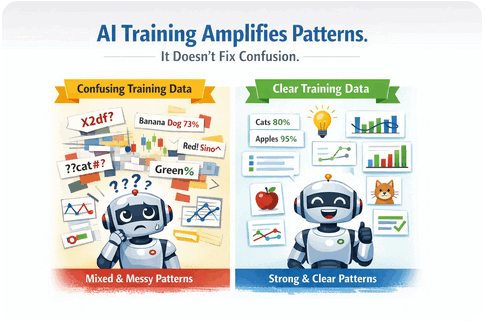
Training ChatGPT (often called fine-tuning on your own data) makes sense when:
- The task is narrow
- The task is repetitive
- High consistency is required
- Output format must be stable
The contract review team took this step after clarifying the task and collecting strong examples. They trained the model on real contracts paired with ideal outputs.
The result wasn’t a smarter ChatGPT.
It was a more predictable ChatGPT. The system reliably extracted the same types of information in the same format every time.
Training reinforces patterns.
It doesn’t fix unclear thinking.
Before investing in training/fine-tuning, ensure your task definition and examples are solid.
5. Use Retrieval Instead of Teaching for Changing Information
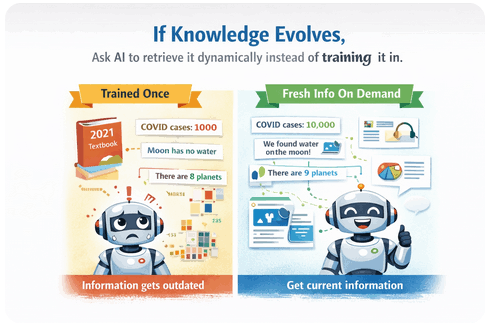
Some ChatGPT challenges aren’t about behavior — they’re about access to information.
A large enterprise wanted ChatGPT to answer employee questions using internal policies and manuals. Rather than training ChatGPT on thousands of documents, they implemented retrieval:
- When a question is asked
- Relevant documents are fetched
- The AI answers using up-to-date information
This approach keeps answers accurate and up to date—even when policies change.
If knowledge evolves frequently, retrieve it dynamically instead of training it in.
This is often called Retrieval-Augmented Generation (RAG).
6. Control Tone, Creativity, and Risk
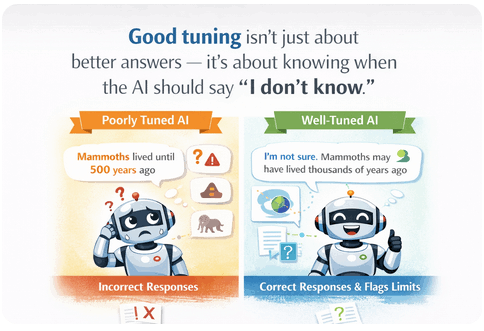
ChatGPT’s behavior is adjustable.
It can be:
- Creative or conservative
- Brief or detailed
- Flexible or rule-bound
A software company providing technical support noticed that overly creative responses increased risk. By tightening instructions and limiting responses to official documentation, they improved accuracy and customer trust.
Good ChatGPT tuning isn’t just about better answers.
It’s about knowing when ChatGPT should say:
“I don’t know.”
Risk control is a core part of responsible ChatGPT deployment.
7. Test, Improve, and Know When to Stop
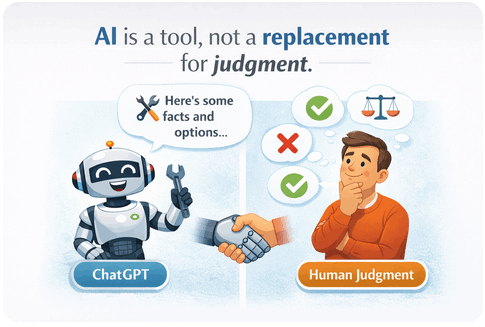
No AI system works perfectly on day one.
Successful teams:
- Test ChatGPT with real-world scenarios
- Review edge cases
- Track failures
- Iterate carefully.
Just as importantly, they also know when to stop tuning.
Some problems are better solved with:
- Clearer input designs
- Human review
- Workflow changes
ChatGPT is a tool Not a replacement for judgment.
A Simple Framework for ChatGPT Configuration
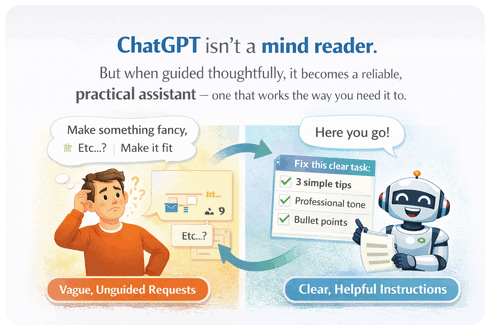
Across industries, the same pattern works:
- Define the task
- Write clear instructions
- Provide examples
- Train only if necessary
- Retrieve changing information
- Test continuously
ChatGPT isn’t a mind reader.
It reflects the structure you give it.
When guided thoughtfully, it becomes a reliable, practical and intelligent assistant — one that works the way you actually need it to.
Conclusion: AI Success Starts With Clarity
Organizations that succeed with ChatGPT don’t treat it like magic.
They treat it like a system.
They:
- Define tasks clearly
- Write human-readable instructions
- Show strong examples of what “good” looks like
- Fine-tune selectively and carefully, only train the model when necessary
- Understand that training reinforces patterns; it doesn’t repair unclear thinking
- Retrieve evolving information
- Continuously test, review and apply human judgment
The pattern is simple but powerful:
Clarity → Guidance → Examples → Selective training → Smart information access → Continuous testing
ChatGPT is not a mind reader. It reflects the structure you give it. When that structure is thoughtful and precise, the results feel intelligent, reliable, and practical.
In the end, configuring ChatGPT isn’t about making the model smarter.
It’s about becoming clearer yourself.
Frequently Asked Questions (FAQ)
What is the best way to train ChatGPT for business use?
Start with clear instructions and examples. Only use fine-tuning when tasks are repetitive and require high consistency.
Do I need fine-tuning to use ChatGPT effectively?
No. Most use cases improve significantly with better prompts and structured examples before any training.
What is retrieval-augmented generation (RAG)?
RAG allows ChatGPT to retrieve relevant documents in real time instead of storing static knowledge inside the model.
How do you reduce AI risk in business applications?
Tighten instructions, limit responses to approved sources, monitor outputs, and design workflows that include human oversight.
Categories